Microhouse Support Desk t:1800 819 984 e:support@microhouse.com.au

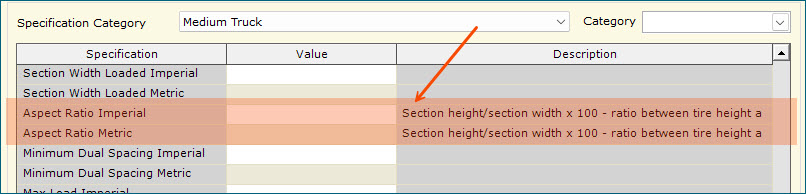
The Pick Status column has been added to the Sales Document and In Progress Document COSTAR Views.
 The Bank Reconciliation is again defaulting to the correct bank GL account.
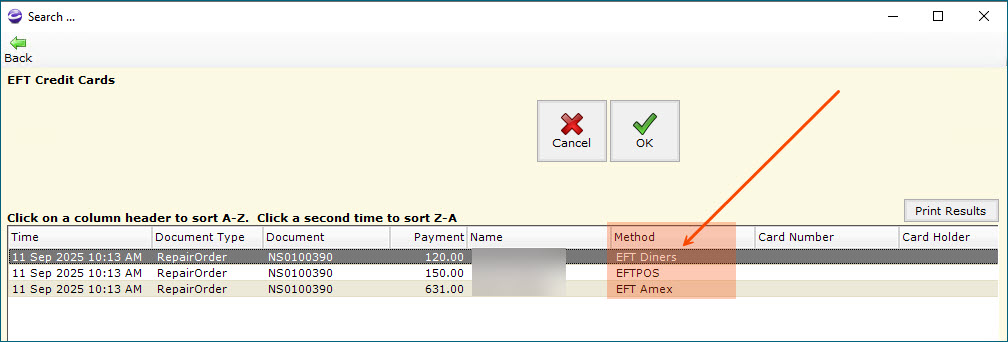
The same GL Account can no longer be viewed in more than one Bank Reconciliation screen. An override prompt will be displayed if a second user tries to reconcile a GL account that is already open and being reconciled.
ZIP
Ticking Confirmed in an Appointment no longer removes any unsaved changes to the Appointment.Dynamic Packages are again using the current prices, not the price at the time the item was added to the package.

With the option to commit stock on appointments enabled, the Check Stock button will now flash for confirmed Appointments that require stock to be ordered.


 When a repair order or invoice is requiring stock to be ordered, the document is flagged as Parts Required.


The List Price can now be suppressed from displaying in the Web Order product search results. 


Cost updates from Costar2Costar connections are again asking to be confirmed.


Service Reminders: The latest time an automatic service reminder will be sent can now be set to a choice of 5:00, 6:00, 7:00 or 8:00 PM.
Database Views: Added the Vehicle Licence field to the Sales Documents Database View.
Costar Views: New Locations and LocationQtys COSTAR views.
- Event Log: Every import completed via the Import Wizard is now logged.
- Import Wizard: Product pictures can now be imported. Deleting a picture must be done via Item Maintenance.
Automatic SMS messages are no longer sent by COSTAR test companies.


Customer Specifics are again being added to repair orders and invoices correctly.

When using Employee PINS with more than 4 characters, the punch clock override screen will retain the entered PIN.
The correct Time In is now used when sending Appointment confirmation messages.
Salesperson (doc) and Salesperson 1 (AR) and Salesperson 2 (AR) selection and sort options have been added to the Yearly Sales Report.


Automated Enhanced SMS messages are now flowing as expected.


Automated Service Reminders
Setup
- The functionality can be enabled by going to Settings => Service Reminders => Settings.
- The settings are per branch.
- Enable Automated Service Reminders: Enables the functionality.
- Prompt and show Service Reminders at sale time: Enables the prompt for outstanding reminders at time of sale.
- All service reminders are sent based upon implied consent... : TIcking this setting bypasses the Customer Follow-up profiles. Not recommended to be enabled.
- Graphics can be added to the sent messages by populating these fields with the URL of the relevant graphic.

- Editing the Messages
- The message format can be maintained via the Configure text/Email Service Reminder Messages button.

- Service Reminder maintenance
- Clicking on Service Reminders allows the reminders to be created, edited or deleted.
- Service reminders can be set up with a reminder period of weeks or months.
Fitment Guide
Registration Search

Vehicle Details Search
Search by Fitment

Can now search for a customer's vehicle by registration.The customer look up now includes account customers.
Product/Service History
Document Specifics
Cheque History
Cheque Reversal
Import History
Event Log

Appointments can now be extended across multiple days.
 The supplier's EFT details in Supplier Maintenance can now be password protected.


Mobile phone numbers can be added to Order Entry documents without generating an error.

When adding items to a purchase orders for a Costar2Costar supplier, invalid item numbers are now allowed to be added to a PO.

 A maximum purchase order amount can now be set for each supplier. Purchase orders above the maximum value will require authorisation before they can be sent to the supplier.


With Pricing Rules disabled, Costar2Costar items are now added to documents with the correct cost.
New ability to flash a notification in the Repair Order screen of the configured branch, that there are new web orders that need attention. Simply tick the Settings => Order Entry Options = > OE Option => Entry2 => Notify Retail Branch of new Wholesale Web Orders and select the branch that will receive the notifications.


 Memos and reminders are now allowed on authorised fleet documents and will no longer de-authorise a document.


Web Appointments


The Warehouse Management Processor can now run as a Windows Service. Please contact the Microhouse Support desk to request this service to be enabled.


Error is no longer being experienced when using the AP Cheque Preparation Pay Status.
General

The Promised Time and Customer Waiting flag is now displayed in the Work In Progress and Document windows.


In Product Type Maintenance, a default specification category can now be added to each product type.
If the relevant item level specification category is not populated, then the specification category of an item will be set using the following logic;
Costar2Costar suppliers can now be configured to prompt for a confirmation before updating the cost of an item and it's selling prices, when adding an item to a repair order, invoice or purchase order from a Costar2Costar supplier.
New ability to commit stock on an Appointment.


Inventory, services, special items can now all be added directly to an item without the need to create a kit.
 Can now include a local database in the Shared Inventory product look ups.

New ability to authorise a job with a customer's signature.
To enable the functionality go to Order Entry Options => Mobile Settings => Signature Capture and tick the relevant branch.


New ability to allow technicians to switch between branches in Mobile.


New ability to edit and complete a branch transfer being sent from another branch. This option allows the receiving branch to edit an existing transfer from another branch and depending on configuration, finalise the transfer.
Once the Allow access to other branches transfer documentssetting has been ticked, a Branches button will appear in the Order Entry => Branch Transfer menu. Clicking on the Branches button will then display the list of transfers waiting to be sent to the current branch.


New ability to check live stock availability at YHI and Pirelli warehouses using the new YHI and Pirelli supplier integrations. To enable either of the YHI or Pirelli supplier integration, please contact the Microhouse support desk.

New ability to send purchase orders directly to YHI and Pirelli using the new YHI and Pirelli supplier integrations. To enable either of the YHI or Pirelli supplier integration, please contact the Microhouse support desk.
 now shows correctly in Web Order on the final day of a sale.
Registration details are no be longer cleared when using vehicle integrations.
Pick Plans - New ability to password protect the viewing of Order Entry documents from the Pick Plan screens.
To add a password, go to Settings --> Inventory Setup --> Locations and enter the required password into the View Document password column.

Once a password is set, users will not be able to view a document from the Pick Plan screen unless they enter the correct password.
Using the Registration Search for a New Vehicle now returns the registration, colour and VIN to the COSTAR document.
Adding Kits to a document is no longer delayed.Order Entry Registration checks are now opening without error.
Signature Pads - The signature of the recipient is now printed on the original printed invoice. Please contact the Microhouse Support Desk for help on setting this functionality up.

Costar2Costar orders are now populating the Ship Via and Shipping Instructions correctly.

Terms
CashCustomer (0/N/No = Account, 1/Y/Yes = Cash))
GLAccount
If the Customer field is null or blank, the Customer field will be automatically populated with the next system generated cash customer number. This will apply for both cash and account customers.
If the Customer field is not null or blank, then the field must contain NO invalid characters otherwise it will be rejected.
If the Name field is null or empty, then the record will be rejected.
If the CashCustomer field is null or empty, then the imported customer will be set to be a cash customer.
If the imported customer is an account customer (i.e. CashCustomer = 0) and the Terms field is null or empty, then the terms of the customer being imported will be set to the Customer Credit Terms. If this setting is not set, then the customer will be rejected.
If the imported customer is a CASH customer and the Terms field is null or empty, then the terms for the customer is set to Cash.
If the Terms of the imported record are not valie the record is rejected.
If the GLAccount of an imported CASH customer is null or empty, then the GLAccount is left empty.
If the GLAccount of an ACCOUNT customer is null or empty, then the Terms are set to the default AR Control Account. #17715
For ACCOUNT customers, the GLAccount must be valid AR GL account otherwise the record is rejected.


New settings to force the entry of a VIN, license number and odometer before an Inspection can be opened.


Deleting a service code no longer incorrectly sets the document to completed.Temporary documents are no longer committing stock.
New Registration Check integration
Web Order

Once reopened, an Order Entry Payment can once again be sold.
Copy button is again working when finding a customers history via Document Search.The "Branch is not configured" message is no longer displayed when sending and SMS from a completed document.
Order Entry document memos are again printing correctly.When completing a document, the SMS prompt is again being displayed without the need to have a service code on the document.
Item costs on Purchase Orders and Branch Transfers are now being calculated correctly with Volume Pricing enabled.
Brand NEW functionality that allows internal messages to be sent for each invoice and/or repair order. For more information please contact the Microhouse Support desk.
Having an EFTPOS surcharge turned on, and an EFTPOS integration enabled no longer sets the default tender value to $0 for account sales.
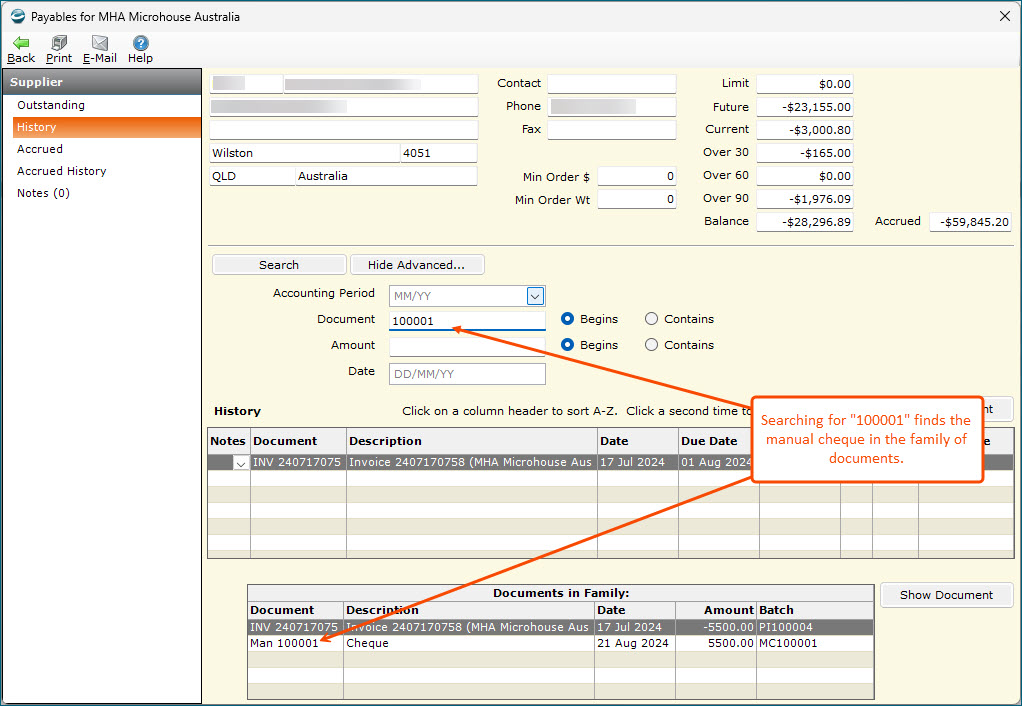
In AR Inquiry, the search functionality now searches the entire family of documents. (e.g. users can now search for credit notes and payments applied to invoices).
Order Entry document tender values are again defaulting to the document total when the Tyro integration is enabled.
EFTPOS can now be set as the default tender method for Order Entry documents. Go to Settings >> Order Entry Options >> Payment Methods and tick the EftPos is the default Payment Method.
New updated look that is now compatible with mobile devices.
New setting in Order Entry Options (Auto-Fill Written-by on new documents) that if ticked, will populate the Written-By with the person who logged into COSTAR.
New Volume-based Customer Pricing functionality available. The functionality can be enabled by clicking the Settings >> Inventory Setup >> Pricing >> Enable Volume-based Customer Pricing option. For more information please contact the Microhouse Support desk.
New button in Special Item Maintenance that can be used to update the price on all work in progress documents.
New setting that enables a re-index of COSTAR databases during month end.
The Invoice Margin Review Report no longer times out and fails for larger databases.
Branch transfers can now be created directly from an invoice/repair order into the sending branches branch transfer list.
The "flicker" in Order Entry documents has been greatly reduced.
Vehicle information is no longer lost off the invoice when the document has a mobile number entered.
Product Specifications are now included in the spreadsheet created when the Individual Customer Price List is Prepared and Exported.
Invoices/Repair Orders documents no longer populate the Salesperson with the employee who opened COSTAR.
Dynamic Packages- New option that limits users so they can only change the pricing and discount on detail lines within a Dynamic Package.
New option when searching for stock to Show Items with negative Qtys as well as Show In-stock only.
Auto Set Credit Status Reportnow resets a customer's status back to green if the account is fully paid.
Purchase Orders - receipting a $0 purchase order will now generate the appropriate financial records.
Kit and Package Maintenance - Now have the ability to set a pre-determined service codes and reminder periods for reminders in Kits and Packages.Inventory >> Inventory Reports >> Operating Reports >> Set Inactive Inventory Items Report - new options that allow the report to be previewed and exclude any item that also exists in the catalogues.
MAP Inspections have been renamed to Vehicle Inspections
Signature capture is now centered on the signature confirmation screen.


Report Definitions can now be copied by clicking the report to be copied and then the Copy button in the menu bar.
Document History - Can now copy items from history documents to Quotations and Appointments
Online Appointments - This new optional feature will allow customers to book appointments online via a special “Book Appointment” link that will be inserted into your existing website.
Supplier Maintenance - The Payment Supplier feature now allows a single payment to one supplier, that pays for multiple suppliers.Cheque Reversal- This new user interface allows any outstanding cheques (Cheques which have not cleared the bank reconciliation) to be easily reversed.
White List/Black List Rules- COSTAR now has the ability to allow (white list) and disallow (black list) items system-wide or configured for individual customers. Rules can apply to products, services, special items and packages.
New Receive Payment button that defaults to customer payment settings.
- Reports can be summarised, detailed by G/L Account or detailed by Branch.
- The Activity variance percentage can be stated as a percentage of G/L type or as a percentage of Total Sales/Assets (i.e. vertical analysis).
- The old versions of the Income Statements and Balance Sheet are still available and are called Legacy Income Statement, Legacy Balance Sheet and Legacy Income Statement/Budget.
- New setting to turn off legacy reports id needed.
- G/L Departments Maintenance - New menu that allows the maintenance for G/L departments.
- G/L Divisions Maintenance - New menu that allows the maintenance for G/L divisions.
- Order Entry >> Invoices - Picking an invoice from another branch using Warehouse Locations now sends the invoice to be picked.
- Order Entry >> Customer Specifics - Entering an apostrophe into a specific value no longer causes an error.
- Customer Specifics and Deposits - Processing a deposit on an invoice with customer specifics no longer duplicates the specifics.
- Sales Reporting >> Sales Reports >> Sales Report >> Generic Sales Report - Removed the empty columns when Prepare and Export is used
- Sales Reporting >> Document History - All relevant vehicle details are now copied to each document when sold ensuring that the correct vehicle details are displayed in a history document.
- Appointments >> Appointment Scheduler - Promised field is now editable when a document is opened from the Appointment grid.
- Customers >> Customer Reports >> Web Order Report - no longer errors when using the Customer Group sort.
- Kits - re-ordering of the kits in Item Maintenance, Product Type Maintenance, Service Code Maintenance and Package Maintenance is now saved correctly.
- Inventory >> Inventory Reports >> WIP Details report - Wholesale Orders now display correct Quantities and Estimated Cost
- Inventory >> Inventory Reports >> WIP Summary report - Wholesale Orders now display correct Quantities and Estimated Cost
- Inventory >> Inventory Reports >> Price Lists >> Customer Price List - Price is now displaying correctly based on the relevant entries in the Customer Price Matrix
- Database Views >> Database Views >> Stock Counts Posted and Stock Counts - Unposted - Now correctly output the relevant data.